
Video workflow

How to use edimakor video for a clearer first cut

If you are learning how to use edimakor video, begin with the story you want the viewer to follow. Gather your footage, sketch a short sequence, then use the editing options available to you and review the entire result before sharing it.

Free to start · no signup
Edimakor-themed video creation visual

Choose your approach

Three decisions shape the edit

The same basic process works for different creators, but the footage, audience, and final viewing context change what deserves attention first.

First-time editor

You have several clips from one event and are unsure which one should open the video. Watch them once, identify the clearest moment, and arrange the remaining clips in the order a new viewer would understand.

A short first cut gives you something concrete to review instead of an open-ended pile of footage.
hitpaw edimakor tutorial

Presenter

Your video depends on spoken instructions. Make the voice easy to follow, remove obvious pauses, and compare any captions against what was actually said.

Viewers can follow the message even when they need text support, while names and technical terms receive a deliberate accuracy check.

edimakor auto subtitle

Social creator

Your main point arrives late in a longer recording. Identify a useful opening moment before trimming supporting footage, and check whether the result still makes sense without the missing context.

The shorter sequence has an understandable beginning rather than feeling like a random excerpt.

edimakor ai

Channel owner

You want to prepare a video for a publishing platform. Finish the edit first, then check its framing, spoken content, and ending in the context where viewers will encounter it.

Editing and publishing remain separate decisions, making it easier to catch a problem before posting.

edimakor vs youtube

Working sequence

Build the video in three passes

Treat the first pass as structure, the second as refinement, and the third as quality control. Interface labels may differ by version.

  1. 1

    Prepare and arrange your material

    Create a small folder containing the clips, audio, and graphics you have permission to use. Decide the video's audience and main point in one sentence. Open Edimakor, start a project using the options shown in your version, bring in the source material, and place clips in a rough beginning-to-end order. Do not spend the first pass perfecting transitions; confirm that the story works with simple cuts.

  2. 2

    Trim for meaning and add support

    Remove duplicate moments, long pauses, and shots that do not advance the point. Keep enough context around each cut for the next scene to make sense. Add titles or captions only where they help the viewer; if Edimakor offers an automatic option in your setup, treat its output as a draft and compare it with the original speech. Listen for abrupt audio changes and check that text stays readable against the picture.

  3. 3

    Review, then prepare the final file

    Watch the full sequence from the beginning at normal speed, preferably with headphones and again without sound. Look for missing words, awkward cuts, clipped endings, and text too close to the edge of the frame. Choose export settings that fit your destination from those available in your installation, inspect the resulting file, and keep your project and original footage until you are satisfied with the delivered version.

Limits and edges

Know what this guide cannot verify

A workflow can help you make good decisions, but it cannot establish the features or export terms attached to your particular installation.

1

It cannot confirm your available tools

Edimakor versions, operating systems, and access conditions may differ. A named control, AI option, or automatic caption tool should not be assumed to appear in every interface.

What to do instead

Check the menus and current product documentation in your own installation before planning an edit around a specific control.

2

It cannot guarantee accurate captions

Speech recognition can mishear names, accents, overlapping voices, and background audio. Even a polished-looking caption track may contain a consequential mistake.

What to do instead

Play each spoken section against its text, correct errors manually, and inspect caption timing on the final file.

3

It cannot promise a particular export result

Available formats, quality settings, watermarks, and usage terms depend on the current product conditions. This page does not verify a specific resolution or unrestricted output.

What to do instead

Run a short test export with your chosen settings and inspect the actual file before committing to a long project.

4

It cannot clear rights or platform requirements

Having a clip in your project does not grant permission to use someone else's music, footage, image, or likeness. An edit that plays locally may also need changes for its destination.

What to do instead

Confirm rights to every asset and review the destination's current specifications before publishing.

Visual example

Picture the shift from footage to sequence

Illustrative presenter footage before an editing sequence is planned
Source footage
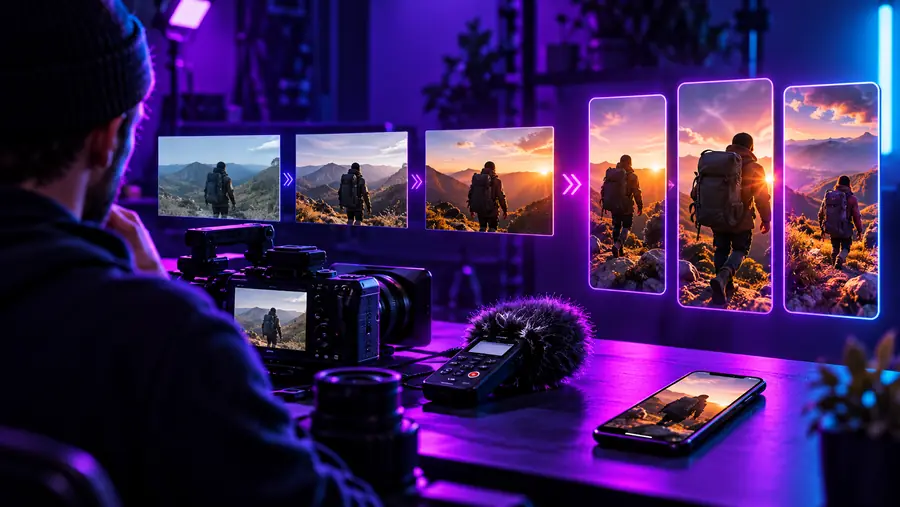
Illustrative video timeline with clips arranged for editing
Planned sequence

These are illustrative scenes, not before-and-after frames from the same Edimakor project. The useful change is organizational: choose a clear opening, place supporting moments in order, and review the assembled cut.

Source footagePlanned sequence

Task boundary

Separate editing decisions from publishing decisions

A finished timeline and a published video solve different problems. Use this checklist to decide what to verify at each stage rather than assuming one action completes both.

During the Edimakor edit Before publishing
Main objective Make the sequence understandable and remove material that distracts from its point. Confirm the finished piece suits the destination and its audience.
Opening Place the clearest relevant moment early and check that it introduces the subject. Check whether the opening still works in the destination's viewing context.
Audio Listen across cuts for changes in speech level, noise, and unintended silence. Play the exported file on another device to catch problems missed in the project.
Captions Compare caption wording and timing with the source speech. Check readability and any caption requirements at the destination.
Framing Inspect important subjects and text near the frame edges. Preview the finished file in the presentation format you intend to use.
File check Select from the export options available in your installation and save the result. Open the exported file, watch through the ending, and confirm it is the version you meant to share.
Permissions Track the origin of footage, images, music, and other included assets. Confirm you have the rights and permissions needed for the intended use.

Next step

Start with one short, reviewable cut

Pick a small set of clips and write down what the viewer should understand by the end. Build the simplest sequence that communicates that point, then inspect the final file rather than relying on the timeline preview alone. If you want to explore a video-creation workflow, continue to the linked destination and check its current capabilities before you begin.

Put your video plan into motion

  • Choose the story before adding effects
  • Verify speech, captions, and audio
  • Inspect the exported file before sharing
Explore video creation

Common questions

Questions about making your first video

Start with a few clips and one clear message. Arrange the footage in a beginning, middle, and end, trim obvious dead space, and watch the whole sequence before adding decorative elements. Check the controls shown in your version of Edimakor rather than relying on a tutorial made for another interface.

Collect the footage, audio, and images you intend to use in one place, and confirm that you have permission to use them. Write a one-sentence goal for the video and identify the strongest opening moment. That preparation makes it easier to decide what to keep once editing begins.

Do not treat automatically produced text as a final transcript without checking it. Compare captions with the original speech, paying particular attention to names, numbers, and words spoken over background noise. Then inspect their timing and readability in the exported file.

The project preview and exported file are separate things to inspect. Play the exported result from beginning to end and check its sound, framing, captions, and final seconds. If something is wrong, return to the project, correct it, and make another test export using the settings available to you.

An edited or exported file is not necessarily published. Check the destination's current requirements, your permissions for included material, and the exact file you plan to share. Keep the project and source files until you have confirmed the final result.

Create a video
Create a video